
What is Infisical used for?
Infisical gives technical teams a central place for machine-facing secrets and related infrastructure access. The official documentation describes a broader platform for secrets, certificates and secure infrastructure access. It also lists workflows including rotation, dynamic credentials, access approvals, privileged access and credential-free access for AI agents.
| Question | Our answer |
|---|---|
| Best for | Teams centralizing a runtime-secret inventory and preparing scoped machine access |
| Separate job | Managing human passwords and recovery material |
| Deployment choice | Infisical Cloud or infrastructure you operate |
| Evidence reviewed | Our dated deployment and import record, plus the public documentation, self-hosting guide and pricing page |
| Pricing check date | 27 October 2026 |
The runtime-secret inventory in our migration covered categories such as:
- API tokens used by applications and services.
- Database credentials and connection strings.
- Application signing secrets.
- Tunnel runtime tokens.
- Provider keys consumed by software.
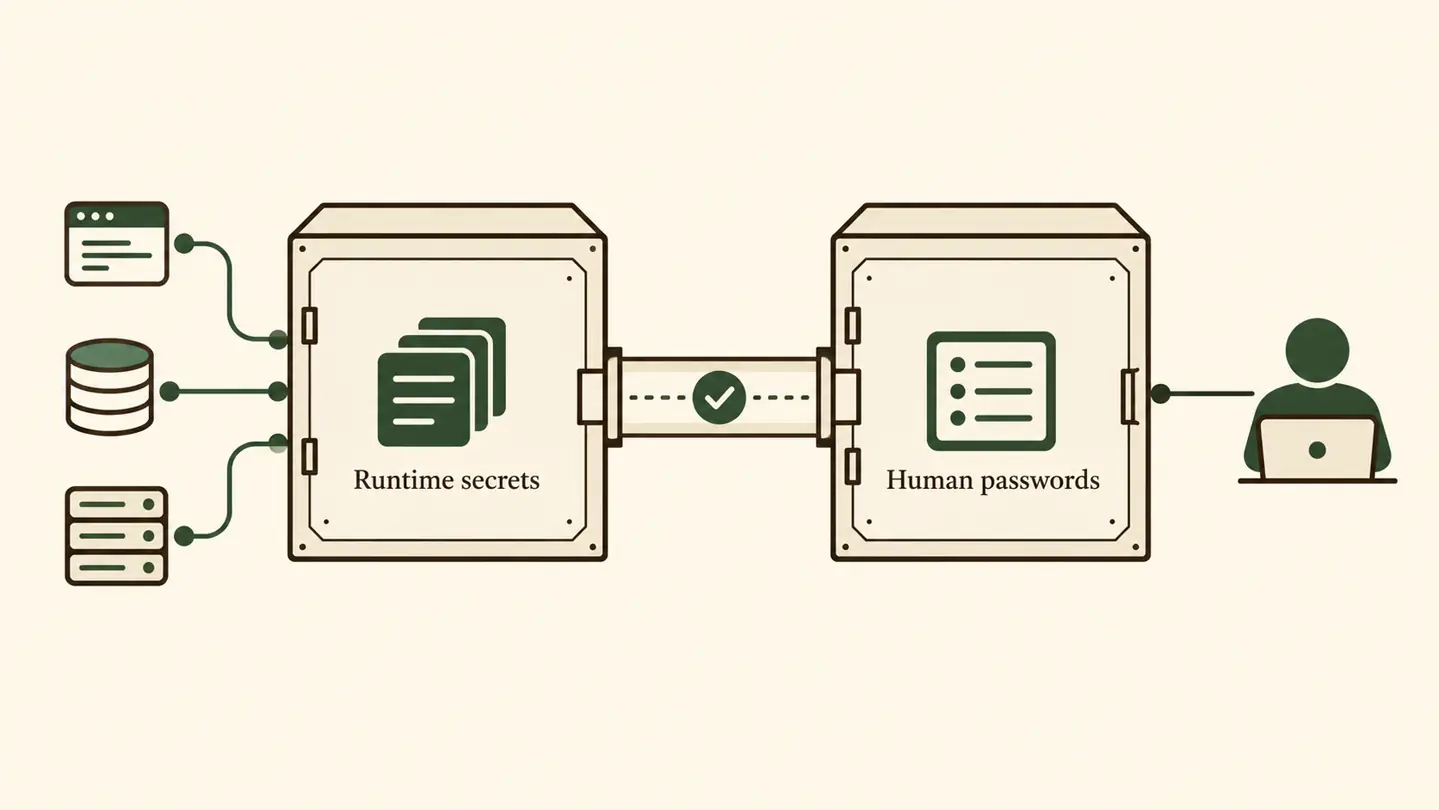
These differ operationally from passwords that a person types into a website. They are values intended for running systems. A central inventory creates a defined place to manage that class of credential and prepares the ground for services to receive only the access they need.
The useful decision is whether your team has service-read secrets that need a central home and a controlled migration path. Infisical is a candidate for that role. Personal logins, 2FA seeds and recovery material remain the domain of the human password manager in our operating model.
Infisical or a password manager?
We keep both categories of tool because they serve different actors. Infisical holds the imported runtime-secret inventory and supports the planned machine-access model. Our separate human password vault holds credentials used by people, including human logins, registrar access, SSH and sudo access, 2FA seeds, and recovery codes.
| If the credential is intended for... | Its system in our model | Examples |
|---|---|---|
| A service or machine at runtime | The runtime-secrets system | API tokens, database credentials, signing secrets, runtime tokens and provider keys |
| A person authenticating or recovering access | A human password manager | Human logins, registrar access, SSH and sudo access, 2FA seeds and recovery codes |
The decision model starts with intended retrieval. Ask who or what needs the value. If software is meant to retrieve it while running, it belongs on the runtime side of the boundary. If a person retrieves it to sign in, administer a machine or recover an account, it belongs on the human side.
This distinction also makes the phrase “secrets manager” less ambiguous. A service secret and a human login are both sensitive, but they enter different workflows. Treating them as one undifferentiated pile would erase the operational boundary that makes centralization useful.
At the June 2026 checkpoint, this was a migration model as well as a classification model. Infisical contained the imported runtime-secret tree as backup-of-record, while cloud-injected secrets remained authoritative in their cloud runtime. Repointing the services was the next step required before Infisical could take an active retrieval role there.
What did we change in production?
In June 2026, AI Jungle had a self-hosted Infisical deployment and completed an import of its runtime-secret tree into the target production environment. That checkpoint established that the deployment existed and that the inventory had been imported successfully.
The completed and pending work can be summarized clearly:
- The self-hosted Infisical deployment was in place.
- The runtime-secret tree had been imported into the target production environment.
- Service repointing remained the next migration step.
Cloud-injected secrets remained authoritative in their cloud runtime at that checkpoint. Infisical served as backup-of-record for those values. The evidence therefore supports a conclusion about deployment, inventory centralization and migration readiness. Service repointing and retrieval checks are the next proof required for active service use.
The human password vault remained responsible for credentials used by people. This preserves the important division of responsibility while keeping the migration account tied to what the dated proof shows. The decision-level evidence is sufficient here; internal topology, identifiers and individual inventory details are outside the scope of a public review.
Should you self-host Infisical?
Self-hosting is a deployment decision. Infisical’s self-hosting overview says the platform can run on infrastructure operated by the user, with deployment options ranging from a single container to a high-availability cluster. The same guide distinguishes self-hosted Infisical from Infisical Cloud.
Choose by asking who should operate the secrets service. A team considering the self-hosted route should account for the infrastructure it will operate. A team considering the cloud route should evaluate Infisical Cloud as the distinct option described in the official self-hosting guide.
For teams already using Coolify, Coolify also publishes an Infisical service page. It provides a deployment reference for that platform. The official Infisical documentation remains the primary source for the supported deployment range and product options.
Is Infisical free to use?
The Infisical pricing page showed a Free plan when we checked it on 27 October 2026. The same page said self-hosted pricing differs from cloud pricing and directs readers to contact sales for self-hosted pricing.
Use the live pricing page for current terms, paid prices and plan limits. It is the appropriate source for a purchasing decision and may change after this dated check.
The software’s source repository is also available on GitHub. That link lets readers inspect the open-source repository. Pricing and deployment terms are separate questions, so the current pricing page remains the relevant commercial source.
What should you verify before adopting it?
Verify the actual path a secret will take, including the behavior of the tools used during migration. This recommendation comes from a specific dated incident in our operating record.
In June 2026, an older Infisical CLI version printed secret values to standard output when a silent flag was used. This observation is confined to that older version. It changed our migration-safety checklist: current output behavior needs to be tested before real secret material is processed.
Before adoption or migration, verify:
- Which credentials are runtime secrets and which are human-access credentials.
- Which system is authoritative for each secret at every migration stage.
- How the target project will organize access for the intended runtime contexts.
- What the current CLI prints to standard output and standard error for the exact commands you plan to use.
- How command output will be handled during the migration.
- What proves that each service has been repointed successfully before authority changes.
- Whether your team wants Infisical Cloud or a self-hosted deployment.
- Which current plan terms apply on the live pricing page.
The dated CLI incident supports a practical conclusion: test the current version in the intended command flow. Migration procedures should be based on that observed behavior. The same standard applies to retrieval: an imported inventory proves that data reached the target, while a service-level check is needed to prove that a runtime retrieves it from that target.
How should a small team decide?
Start with the boundary. Inventory the credentials your services are intended to retrieve at runtime, then separate them conceptually from credentials people retrieve for sign-in, administration, 2FA or recovery.
Infisical is a sound fit when the target problem is centralizing that runtime-secret inventory and preparing scoped machine access. Our documented checkpoint supports that conclusion through a working self-hosted deployment and a completed production-environment import. It also defines the remaining proof: service repointing and retrieval validation. A human password manager remains part of the operating model when people need a controlled home for human logins and recovery material.
Then make the deployment choice. The official self-hosting documentation presents both self-hosted operation and Infisical Cloud, while the pricing page carries the current commercial terms. On 27 October 2026, we checked the public introduction, self-hosting guide and pricing page alongside our dated internal record.
Our final verdict is bounded but firm: Infisical fits the central runtime-secret inventory and scoped machine-access job. The June 2026 record proves deployment and import, with cloud-injected secrets still authoritative in their cloud runtime and Infisical serving as backup-of-record. A separate human password manager continues to serve credentials and recovery material used by people.
Self-host it, or take the managed option. Review both routes through the official Infisical site and its self-hosting overview.
FAQ
What is Infisical used for?
The official introduction describes Infisical as an open-source platform for secrets, certificates and secure infrastructure access. In our operating model, it provides a central runtime-secret inventory and a path toward scoped machine access. At our June 2026 checkpoint, the self-hosted deployment and import were complete, while service repointing remained pending.
Is Infisical free to use?
The pricing page displayed a Free plan on 27 October 2026. It also said self-hosted pricing differs from cloud pricing and directs readers to contact sales. Check that page for current terms.
Can Infisical be self-hosted?
Yes. The self-hosting overview says Infisical can run on the operator’s infrastructure, from a single container to a high-availability cluster. It also presents Infisical Cloud as a distinct deployment option.
Does Infisical replace a human password manager?
Infisical and a human password vault have separate jobs in our operating model. The vault remains the home for human logins, administrative access, 2FA seeds and recovery codes. The dividing question is whether software or a person retrieves the credential.