
How to choose a no code ai agent builder you can operate
The useful question is who owns the operation of a no code AI agent builder. I would start with operating responsibility, then check permissions, logs, export, and handover.
What is a no-code AI agent builder?
A no-code AI agent builder replaces application code with visual steps, forms, prompts, and connections. Airtable describes the category as tools that let non-technical teams create AI-powered workflows without writing code (Airtable). The interface may look like a canvas: an event enters on one side, the agent evaluates it, tools perform permitted actions, and a result leaves on the other side.
The word "agent" matters. A fixed automation follows rules chosen in advance. An agent uses a model to handle a decision inside the boundaries supplied by its instructions and tools. OpenAI's practical guide uses the exact building blocks "model, tools, and instructions" (OpenAI). A useful builder should make those boundaries visible enough for an operator to answer a plain question: what can this agent read, decide, and change?
No-code does not mean no configuration. Someone still has to define the job, choose the connected tools, specify approval points, and inspect failed runs. It also does not settle the hosting decision. A visual workflow can run in a vendor account, in an open workflow builder on infrastructure you control, or inside a managed private deployment. The canvas describes the work. The deployment model determines who controls its operating environment.
The short answerOur verdict: we would choose a no code AI agent builder by deciding who owns its operation. Check access scope, human approval, failed-run logs, stop control, export, and handover before adoption. Then choose among a hosted no-code builder, an open workflow builder, or a managed private deployment according to who accepts that responsibility. This guide is not a hands-on test. The builders discussed here have not been tested by us.
The three models in this guide remain at parity. A hosted no-code builder, an open workflow builder, and a managed private deployment assign operating responsibility differently. None wins by default. The right choice is the one whose responsibilities your team can accept and verify with the same exit test.
This is an editorial decision guide, not a hands-on test. We have not tested the builders discussed here. The comparison uses the sources already cited on this page: Airtable describes workflows without code (Airtable); OpenAI identifies the model, tools, and instructions as agent components (OpenAI); n8n documents approvals, logs, and JSON export (n8n); and OWASP provides risk categories (OWASP).
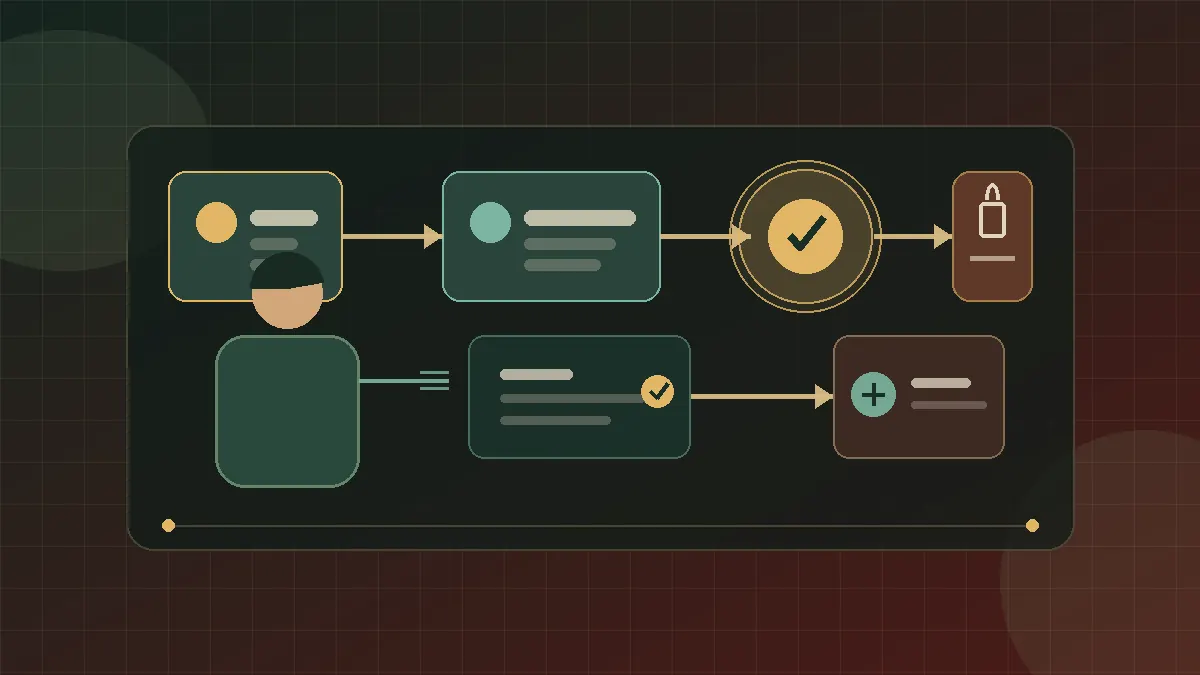
For a boutique consulting firm, the buying decision is not only whether the canvas feels easy. Check where the workflow runs, who holds connected credentials, which actions require approval, what the logs reveal, and what can be exported. A quick prototype may fit a hosted builder. Client data or write access can justify an open workflow builder on controlled infrastructure or a managed private deployment. No-code is enough when the workflow stays understandable, testable, and removable.
What can it automate?
A bounded starting workflow has a clear input and an observable output. These are illustrative workflow designs, not claims about a specific product.
- Prepare a client brief. Read approved source documents, draft a structured summary, and place it in a review queue. The human remains responsible for accepting the output.
- Triage an inbox. Classify incoming messages, suggest a reply, and route sensitive cases to a named person. Sending can remain behind an approval step.
- Maintain a project record. Extract agreed actions from meeting notes and propose updates to the project system. The workflow can require confirmation before writing.
- Assemble recurring reports. Pull permitted fields from connected systems, format a draft, and flag missing data for review.
- Research a prospect. Gather allowed public material, organize it against a fixed template, and save the result without contacting the prospect.
These jobs separate preparation from commitment. Drafting, classifying, and collecting can happen before the system sends a message or changes a client record. That separation is a design choice. n8n's product page describes visual workflows, connected tools, human approval steps, error handling, and inline logs as capabilities of its AI agent builder (n8n). Those capabilities provide useful questions for evaluating any builder, without making n8n the answer to every deployment.
Can you create your own AI agent for free?
This guide does not verify a current free offer. Verify current access terms on a provider's own page, and test export, controls, and exitability before using a builder for real work. n8n states that its projects can be exported to JSON for sharing, copying, or reuse (n8n). That documented artifact is one input to an exit test, not proof of a free offer or complete portability.
What is the best no-code AI agent builder for ownership?
There is no universal winner. I would choose the category that passes the firm's control and handover requirements: hosted no-code, an open workflow builder, or a managed private deployment. The comparison below keeps those categories at parity and does not rank a product first.
Original buyer evaluation framework. These are control postures to verify with each provider or implementer. This is not a product ranking, and a product may support different postures.
| Decision point | Hosted no-code | Open workflow builder | Managed private deployment |
|---|---|---|---|
| Operating environment | Provider-managed account | Deployment chosen by the firm | A private deployment run by a designated operator. Verify who owns permissions, approvals, failed-run logs, stop control, export, and handover. |
| Builder experience | Visual configuration | Visual configuration with an extension path | A private deployment run by a designated operator. |
| Credential custody | Verify where secrets are stored and who can administer them | Configure secret storage and administrator access | Verify who owns permissions, approvals, failed-run logs, stop control, export, and handover. |
| Approval design | Use the provider's available approval controls | Build approval steps into the workflow | Verify who owns human approval and the responsibility boundary. |
| Logs | Verify visibility, retention, and export | Configure logging and retention | Verify who owns failed-run logs and their handover. |
| Portability test | Export a real workflow and its supporting data | Inspect workflow files and dependencies | Test access scope, human approval, a failed run and its log, stop control, and a representative export and handover. |
| Operating responsibility | Provider operates the platform | Firm or technical partner operates the deployment | Responsibility is defined between your team and the designated operator. |
| Candidate use to evaluate | Bounded trial with acceptable provider dependency | Team that wants a visual builder plus deployment control | Private deployment with a designated operator. Confirm the responsibility boundary. |
| Model | Operating responsibility | Decision test |
|---|---|---|
| Hosted no-code builder | The provider operates the hosted environment. Confirm what your team still owns. | Test access scope, human approval, a failed run and its log, stop control, and a representative export and handover. |
| Open workflow builder | Your team assigns responsibility for operating the builder and its workflows. | Test access scope, human approval, a failed run and its log, stop control, and a representative export and handover. |
| Managed private deployment | A designated operator runs the private deployment. Confirm the responsibility boundary and the handover. | Test access scope, human approval, a failed run and its log, stop control, and a representative export and handover. |
This is a responsibility comparison, not a product ranking. The right answer depends on the workflow's access, the team's operating capacity, and the exit test it can actually pass.
For a deeper deployment comparison, read box versus SaaS for an AI workforce.
How do you test a no-code AI agent builder before adoption?
Use the same exit test for each model before you adopt it:
- Access scope. Confirm the access available to the agent and the people who operate it.
- Human approval. Run the existing approval test and confirm that the required human decision appears before the action. n8n documents approvals (n8n).
- Failed run and log. Run the existing failure test and inspect its log. n8n documents logs (n8n).
- Stop control. Use the existing stop control and confirm that the run stops.
- Representative export and handover. Export the existing representative workflow and use that export for the handover test. n8n documents JSON export (n8n).
The result is a responsibility check, not a product ranking. Record whether your team, the provider, or the designated operator owns each item.
When is no-code enough?
No-code is enough when the person responsible for the workflow can understand its path, reproduce a test, and change its boundaries without rebuilding the system. That judgment belongs to the firm. It should be based on a working demonstration, not a label on a product page.
A bounded intake flow is a good candidate when its states are visible and exceptions go to a person. A workflow becomes a poor no-code fit when important behavior is hidden inside opaque steps, when the required logic cannot be expressed clearly, or when maintenance depends on work the team cannot inspect. At that point, an extension written in code or a different deployment may be a workable operating choice.
The visual layer can still remain useful when one step needs code. n8n describes support for code alongside its visual workflow tooling and says projects can be exported to JSON (n8n). That is a product-specific example of an extension and export path, not proof that every open builder has the same capabilities.
The architecture also matters when several workflows share credentials or data. A builder canvas shows task logic, while the surrounding system governs identity, storage, approvals, and observation. AI agent architecture explains those layers and why the visible workflow is only part of the operating design.
What changes when data or credentials are sensitive?
Start by changing the design question. Do not ask only, "Can the agent complete this task?" Ask, "What is the smallest set of information and authority required to complete it?" Then configure the workflow around that answer.
Sensitive inputs raise the importance of data location, administrator access, retention settings, and logs. Credentials raise a separate issue because they authorize actions in another system. A workflow that drafts from a redacted document does not have the same authority as one that can send email or alter a client database. Treat each connection as a distinct permission decision.
The security vocabulary should remain precise. OWASP's LLM application project names Prompt Injection, Sensitive Information Disclosure, Supply Chain Vulnerabilities, and Excessive Agency as risk categories (OWASP). Those names do not determine your architecture. They give reviewers a shared way to ask whether untrusted input can affect instructions, whether outputs may expose protected information, whether dependencies are known, and whether the agent has more action authority than its job requires.
A managed private deployment is a private deployment with a designated operator. Your adoption decision still depends on explicit responsibility for permissions, logs, stop control, export, and handover.
Is an open-source no-code AI agent builder portable?
An open-source label does not prove portability. I would call a builder portable only after a representative workflow can be exported, its dependencies identified, and a copy operated with test data. n8n states that its projects can be exported to JSON for sharing, copying, or reuse (n8n). That is a product-specific artifact, not proof that every open builder can pass a full handover.
Exitability is the ability to leave a builder or implementation partner with the working materials needed to continue operating or rebuild the workflow. Treat this as an acceptance test written by the buyer. Do not settle for an "export available" checkbox.
Choose one representative workflow and export it. Inventory its prompts, instructions, connection definitions, schemas, stored data, approval rules, and run history. Do not export live secrets into an ordinary file. Instead, confirm that credentials can be revoked in the old environment and recreated under the firm's control in the new one.
Next, ask a person who did not build the workflow to read the export and explain the path. Have that person identify every external dependency and the operator steps needed after a failure. Then disable the original workflow and run the copy against test data. Record what is missing. The gaps are your actual switching dependency.
n8n states that its projects can be exported to JSON for sharing, copying, or reuse (n8n). That is a concrete product capability. Exitability still requires testing the workflow's dependencies and operating knowledge around that file. A portable diagram without credentials, data definitions, or handover instructions is not a working handoff.
FAQ
Do I need coding experience to use a no-code AI agent builder?
The category is designed around building workflows without writing code, according to Airtable's overview of no-code AI agent builders (Airtable). You still need to define the process, permissions, review points, and failure handling. A technical partner can configure the deployment while the firm retains control of the environment.
Is a no-code AI agent builder the same as workflow automation?
They overlap. A visual builder can contain fixed automation steps and an agent step that uses a model, tools, and instructions, the components identified in OpenAI's practical guide (OpenAI). The useful distinction is whether a step follows a predefined rule or asks a model to handle a bounded decision.
Should sensitive work always use a managed private deployment?
There is no universal answer. Map the data, credentials, administrator access, action permissions, and operating responsibility, then choose a deployment that meets the firm's requirements. OWASP's named risk categories can help structure the review, but they do not prescribe a hosting model (OWASP).
What should I ask during a builder demo?
Ask the demonstrator to show access scope, a human approval, a failed run, a complete log, the stop control, and a real export. n8n's page provides product examples of approvals, error handling, visual logs, and JSON project export (n8n). Judge the product you are evaluating by what its own demo proves.
How do I avoid lock-in?
Run the exitability test before live deployment. Export a representative workflow, list its dependencies, rebuild credentials under separate control, and operate the copy with test data. Put the required handover materials and responsibilities into the project's acceptance criteria.
Choose a no-code AI agent builder your firm can inspect, constrain, operate, and leave under conditions you have tested.