
JOURNAL BUYER GUIDE · · UPDATED
Self-hosted AI agents: who owns the operation?
The short answerSelf-hosted AI agents suit a firm that must keep its data path, model and exit; SaaS wins on speed. Test both on workload, upkeep, ownership and exit.
For a boutique consulting firm, self-hosted AI is a sound choice only when a defined workload needs a controlled data path and someone accepts the operating work. A private box can run the agent workflow, the model, or both. Managed SaaS leaves more of that operation with the provider. Neither label proves privacy, security, lower cost, or better performance. Trace one real job, such as turning interview notes and approved templates into a proposal draft. Mark where each file goes, which model sees it, who approves the draft, who patches the system, and what can be exported at exit. Choose the option whose owners can pass those tests.
What do self-hosted AI agents actually include?
The phrase can describe a model, an AI application, or an agent workflow, so the first job is to name the layer you plan to own. Qualix defines self-hosted AI as running AI models, applications, or workflows on your own infrastructure instead of sending every request to a third-party cloud platform1. Budibase uses a similarly broad definition for an LLM-powered system or stack component deployed on infrastructure you control2.
That broad label hides different operating jobs. Northflank describes model self-hosting as running AI on your own servers and taking responsibility for downloading, setting up, and managing the model3. USF Libraries also includes laptops, workstations, and secure servers as possible locations for self-hosted models and related systems4.
For an agent, the model is only one boundary. The agent may also use files, call business tools, hold credentials, and create records. This guide therefore separates the model runtime from the workflow layer. Use the local AI agents decision guide if you are deciding which workloads must stay on controlled hardware. Use the private AI guide if the main question is the privacy boundary.
Trace the data path before choosing the deployment. For a proposal workflow, record where interview notes enter, where client files and templates are stored, which model endpoint receives the prompt, where the draft and logs land, and whether an approved document reaches email or the CRM. A box changes only the components that actually run on it. Every external model, connector, backup, and support channel remains a separate boundary.
What is the best self-hosted AI setup for a boutique consulting firm?
Start with one workload that matters to the firm: prepare a proposal from approved discovery notes, summarize a client document for consultant review, or search an internal method library. Set an acceptance check for output quality, response time, concurrent users, and the human approval before anything leaves the firm. The best setup is the smallest one that passes that test and has a named operator.
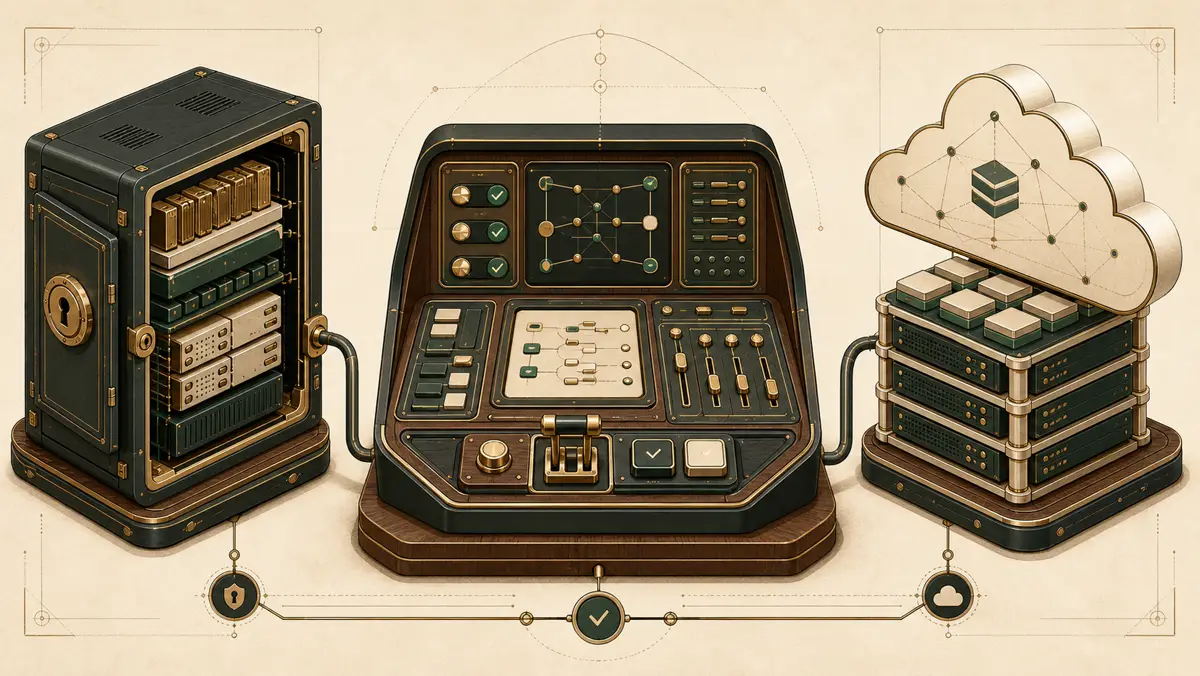
Separate model self-hosting, a self-hosted agent cockpit, and managed SaaS before you compare products. Each choice defines its own operating scope.
- Model self-hosting. You supply the model, an inference engine, and the hardware that runs them, which Northflank lists as core parts of a self-hosted model stack3.
- Self-hosted agent cockpit. You place the AI application or workflow on infrastructure you control. Qualix explicitly includes AI applications and workflows within self-hosted AI1.
- Managed SaaS. You consume the AI system as a cloud service instead of deploying that system on your own infrastructure, which is the contrast used by both Qualix and Budibase12.
A local model does not answer who owns the workflow. A self-hosted workflow does not prove that the model is local. Write the two answers separately. The on-premise AI platform decision sheet helps map local, cloud, and hybrid workload boundaries.
Who owns the runtime, files, logs, permissions, and recovery?
The useful comparison is an ownership record, not a list of product features. Put a name beside every row. If one row has two owners, state where the handoff occurs and who makes the final decision.
| Decision test | Self-hosted box | Managed SaaS | Evidence before choosing |
|---|---|---|---|
| Workload | Your team sizes and tests the runtime for the selected task. | The provider supplies the runtime within its service limits. | Run the same proposal or document workflow with an acceptance check. |
| Data path | You map storage, model endpoints, connectors, backups, and remote support. | You inspect the provider's documented processing, storage, and connector path. | Trace one client file from intake through draft, approval, send, and deletion. |
| Operator | Name who handles access, failed runs, capacity, and recovery. | Name what the provider operates and what remains with your firm. | Put one accountable owner beside every operating duty. |
| Model choice | You can select a local model or call an external model from the box. | You choose from the models and controls the service exposes. | Test quality, context, response time, and reviewer corrections on the workload. |
| Maintenance | Your firm or contracted partner handles patches, monitoring, credentials, storage, and restore tests. | The provider maintains its service while your firm still owns workflow rules and connected accounts. | Review the maintenance roster and support handoffs. |
| Exit | You need the files, configuration, credentials, and skills to restore elsewhere. | You depend on the available export and deletion process. | Complete a sample export and write the clean-environment rebuild steps. |
The table does not prescribe one owner. It makes the choice inspectable. If the answers point to your firm, budget for the work Northflank assigns to the self-hoster: downloading, setup, and management of the model stack3. If the answers point to a provider, inspect the provider's access and export terms. If the answers are split, keep the split in the same ownership record.
How should you compare self-hosted AI agents with SaaS?
Compare the operating boundary in a fixed order so a polished demo does not decide the architecture for you. Use the same workload for every candidate.
- Write down what the agent reads, writes, and sends.
- Mark where the model runtime and the agent workflow run.
- Assign one owner to files, logs, permissions, and recovery.
- Ask the candidate to show the export path for the agent configuration and its records.
- Record what your firm must operate after purchase and what the provider operates.
Keep the completed ownership record with the buying decision. It gives the buyer, the operator, and the provider the same written boundary to inspect later.
Then compare like with like. A model runner answers how you run inference. An agent platform answers how workflows and tool connections run. A managed service answers which operating duties the provider accepts. For a broader platform comparison, read the AI agent platform guide.
Run the comparison with a sanitized copy of the same consulting workload. Record the model and context used, the files sent, the elapsed time, the review corrections, and the operator actions needed. This is a fit test for your work, not a universal performance benchmark.
Can you self-host agents without self-hosting the model?
Yes. You can host the AI application or workflow on infrastructure you control while that workflow calls a model through an outside service. Qualix treats models, applications, and workflows as separate things that can fall under the self-hosted label1.
Call that choice what it is: self-hosted workflow operations with an external model dependency. Do not describe it as full local model hosting. Record who holds the model key, where the workflow stores files and logs, and who restores the workflow. The BYOK guide covers the key-ownership part of that boundary.
The reverse split is also possible. You can run a model on your own server while an outside application owns the workflow layer. Northflank's definition supports the model side of that arrangement because its self-hosting scope is the model running on your server3. That setup is model self-hosting, not proof that you own the agent operation.
Model choice is also separate from hosting choice. LocalAI documents one local runtime that can expose a consistent API while different model engines sit behind it5. That makes a model swap technically possible, but your firm still needs to rerun the workload acceptance check. A different model can change output quality, memory needs, context limits, and review effort.
When is hosting your own AI agent worth it?
Self-hosting is worth considering when control of the operating boundary matters enough for your firm to accept the named duties. USF Libraries lists data privacy and security, a different cost structure from recurring cloud use, and customization or control among reasons to self-host4. Northflank describes keeping data with you and reducing dependence on third-party API vendors as benefits, while making clear that you manage the process yourself3.
Those benefits do not make the decision for you. Test them against the ownership table. If nobody in your firm or under contract owns updates and recovery, the deployment has an unnamed gap. If a provider owns every operational row and controls export, the arrangement is closer to managed SaaS even when the sales page uses the word "private."
A done-with-you cockpit is a split-responsibility option. Evaluate it by the same rows. Do not accept "supported" as the owner name. Record the exact work your firm performs and the exact work the partner performs.
Write a maintenance roster before launch. Name the person who reviews failed runs, rotates credentials, applies host and runtime updates, checks storage, tests recovery, and decides when a model changes. If a provider performs one of those jobs, record the support boundary and the action that still belongs to your firm.
What must you confirm before exit or recovery?
An ownership claim is useful only if you can recover the operation or take it elsewhere. Check the material you would need before a failure or an exit, while every party can still show where it lives.
- Confirm how you retrieve agent instructions, workflow configuration, and working files.
- Confirm which logs you can export and which logs remain with the provider.
- Confirm who can revoke tool credentials and administrator access.
- Confirm who restores the runtime, what they restore, and what they need from the other party.
- Confirm which parts must be rebuilt if you move to another infrastructure owner.
This final check turns "self-hosted" from a label into an operating decision. It also gives you a clean way to compare a raw model box, a dedicated agent cockpit, and managed SaaS without treating them as the same job.
Run the exit test, do not accept it as contract wording alone. Export the workflow instructions, configuration, working files, and available logs. Revoke a test credential. Restore the workflow in a clean environment or document the exact rebuild steps. Record the components that cannot move and the business process used while the system is unavailable.