
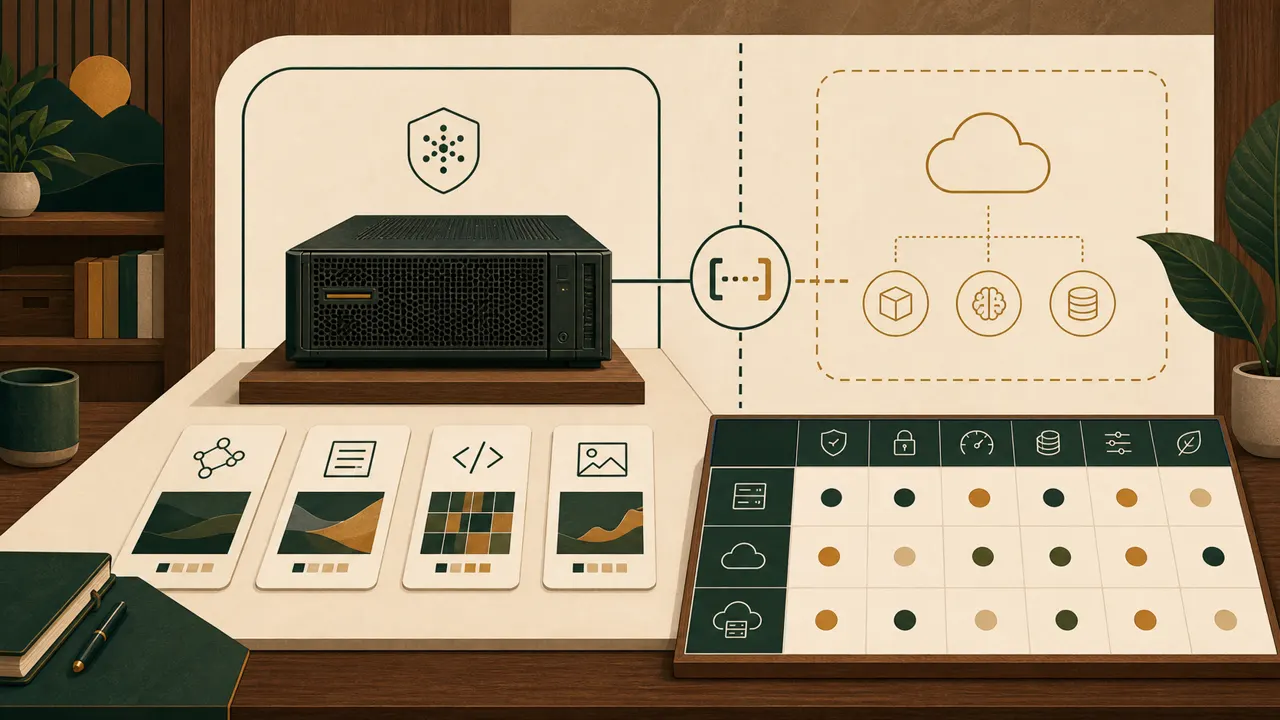
What is an on-premise AI agent or platform?
An on-premise AI agent is an agent whose assigned local processing runs on hardware under the user’s control. An on-premise AI platform is the wider local operating boundary around it: model, tools, data path, hardware, operator duties and acceptance tests. Microsoft describes local AI as processing on the device, where processed data can remain, while the user remains responsible for local data security, maintenance and updates (Microsoft).
The label does not prove that every dependency is local or that the system is safer. Record each workload before you accept the label:
- Input: name the data that enters and its permitted processing location.
- Processing: name the model, tools and location for each step.
- Output: name the permitted recipient and human approval point.
- Operation: name the connectivity dependency, update owner and available hardware.
- Acceptance: write the test and pass condition for the proposed boundary.
This list is the article’s proposed worksheet. It turns “on premise” into inspectable assignments without claiming a universal legal, security or performance result.
When should a firm choose an on-premise AI platform?
Choose it for a named workload when local processing is permitted and required, its model and tools operate within the box constraint, and a named user accepts local security, maintenance and update responsibility. Microsoft identifies privacy, security, available resources, collaboration, cost, maintenance, performance, scale, connectivity, model complexity, tooling and control as factors in the local-versus-cloud decision (Microsoft).
Use one row per workload. Do not complete the table once for “AI.”
| Decision field | Local component | Cloud component | Hybrid component |
|---|---|---|---|
| Input and processing location | Mark only when the box is the permitted location | Mark only when transfer to the cloud service is permitted | Assign each input and step to one side |
| Model and tools | Confirm operation within the actual box constraint | Confirm availability through the permitted cloud path | Assign every requirement to one side |
| Output and approval | Name the local recipient and approval | Name the cloud-path recipient and approval | Name the recipient and approval at each boundary |
| Connectivity | Record what happens without a connection | Cloud use requires connectivity (Microsoft) | Record which assigned steps require it |
| Updates | The user owns local maintenance and updates (Microsoft) | The provider handles its cloud-service maintenance and updates (Microsoft) | Name the owner on each side |
| Acceptance | Test on the actual box | Test through the permitted cloud path | Test local, transfer and cloud-assigned steps |
For adjacent ownership questions, use the private AI guide and the box-versus-SaaS guide.
How do you run or deploy AI on premise?
Start with the workload sheet, then deploy only the local components that have a permitted data path, a named operator, viable hardware and connectivity, and a written acceptance test. This is the article’s proposed deployment sequence, not a claim that one software stack fits every workload.
- Name the workload, owner, input, recipient and approval point.
- Assign each processing step, model and tool to local, cloud or hybrid.
- Record the hardware available on the proposed box and every connection dependency.
- Name the user or provider responsible for maintenance and updates. Microsoft assigns local maintenance and data-security responsibility to the user and cloud-service maintenance to the provider (Microsoft).
- Test the intended input, processing path, output recipient, approval and connection behavior on the actual setup.
- Accept the boundary only when each written pass condition succeeds.
The deployment brief should keep the completed table and tests together. A pass for one workload does not accept another workload. The self-hosted AI starter kit adds implementation context, while the host your own AI guide maps runtime, agents, data, tools, network and operator ownership.
What is an on-prem AI server?
In this decision sheet, an on-prem AI server is the hardware under the user’s control that runs the local components assigned to it. It is not, by itself, the whole AI platform. Microsoft states that local AI capabilities are limited by device hardware and lists resource availability plus model size and complexity among the decision factors (Microsoft).
There is no responsible generic processor, memory, storage or accelerator figure in this brief. List the required model and tools, record the proposed server, define workload acceptance tests, and accept the server only if that setup passes. Reassign an unsupported step to a permitted cloud or hybrid component, change the hardware, or change the workload requirement. Do not copy a hardware figure from an unrelated deployment.
Which AI is best for on-premise deployment?
There is no universal best AI for on-premise deployment in the authorized sources for this brief. The suitable choice is the model-and-tool set that meets the named workload’s requirements on the actual hardware and passes the boundary’s acceptance tests. Microsoft treats model complexity, resources, performance, tooling and control as decision factors rather than naming one best model (Microsoft).
Use the same test for every candidate: required input, permitted processing location, expected output, allowed recipient, human approval, connection behavior and pass condition. Record “unsupported” when the actual box fails a requirement. This avoids turning a product label into an unsourced superiority claim.
How does an on-premise AI platform compare with cloud AI?
Neither option receives a blanket security or performance verdict. Compare the exact workload and produce a component map. Microsoft presents local and cloud AI as a trade-off across privacy, security, resources, collaboration, cost, maintenance, performance, scale, connectivity, model complexity, tooling and control (Microsoft).
| Factor | On-premise or local component | Cloud component | Buyer’s decision |
|---|---|---|---|
| Data path | Processing occurs on the device, so processed data can stay there (Microsoft) | Use requires transferring data to cloud services (Microsoft) | Record what may process and transfer where |
| Responsibility | The user owns local data security, maintenance and updates (Microsoft) | The provider handles maintenance and updates for its cloud service (Microsoft) | Name the owner for each component |
| Hardware | Capability is limited by device hardware (Microsoft) | Resource availability and scale remain decision factors (Microsoft) | Test the workload against the selected resource |
| Connectivity | Local processing need not send the workload to a cloud service (Microsoft) | Cloud operation requires connectivity (Microsoft) | State and test the dependency |
| Latency | Local processing can reduce network latency (Microsoft) | Cloud processing includes a network path (Microsoft) | Set a test instead of assuming performance |
The five-layer AI agent architecture diagram shows how related components fit together.
Which security controls belong in the platform boundary?
Test the paths already named in the workload sheet and assign an operator to each one. OWASP lists Prompt Injection and Sensitive Information Disclosure among its risks for LLM applications (OWASP). That supports testing input handling and sensitive-output controls. It does not show that on-premise deployment removes either risk.
- Input handling: define permitted inputs and test against that definition. Prompt Injection is a listed LLM application risk (OWASP).
- Sensitive output: define permitted recipients and test the output path. Sensitive Information Disclosure is a listed LLM application risk (OWASP).
- Processing and connectivity: verify each step runs only in its assigned location and record which data may cross a connection.
- Approval and updates: test the named approval, then name the operator for each component. Microsoft assigns local maintenance and data-security responsibility to the user and cloud-service maintenance to the provider (Microsoft).
The NIST AI Risk Management Framework is voluntary and is intended to improve the incorporation of trustworthiness considerations into the design, development, use and evaluation of AI products, services and systems (NIST). It does not certify compliance. Continue with the security and governance guide and security page.
How do you evaluate an on-premise AI solution?
Evaluate accepted workloads on the hardware and paths you intend to operate. Require a pass condition for every test before assigning a local, cloud or hybrid component. Copy this article’s proposed checklist:
- Workload, owner, input and permitted processing location are recorded.
- Required model, tools, recipient and human approval are named.
- Connectivity, update owner and actual hardware constraint are recorded.
- Input-handling, sensitive-output, processing-location and connectivity tests are written.
- Every test has a pass condition and the component assignment follows its result.
FAQ
What is an on-premise AI agent or platform?
An on-premise AI agent has assigned local processing on user-controlled hardware. The platform is the wider model, tools, data path, hardware and operator boundary around it; the user remains responsible for local security, maintenance and updates (Microsoft).
How do you run or deploy AI on premise?
Map one workload, assign each component, record hardware and connectivity, name maintenance and update owners, then test the actual path before acceptance. Microsoft assigns local maintenance and data-security responsibility to the user (Microsoft).
What is an on-prem AI server?
It is the user-controlled hardware that runs assigned local components. Local capability is limited by device hardware, so selection must follow workload testing (Microsoft).
Which AI is best for on-premise deployment?
The authorized sources name no universal winner. Choose the model-and-tool set that meets the named workload on the actual hardware and passes its acceptance tests; Microsoft lists model complexity, resources, performance and tooling as decision factors (Microsoft).